

All blog posts
Profit With AI is an educational and technology-focused blog created to help individuals understand and use modern digital tools to build smart online income systems. This blog primarily covers AI automation, emerging technology, SaaS platforms, online earning methods, and digital marketing strategies designed for beginners as well as intermediate users. The goal of Profit With AI is to explain how artificial intelligence and automation can be applied in real-world online businesses, content creation, freelancing, blogging, and marketing workflows to save time and increase productivity. We publish in-depth guides, tool comparisons, tutorials, and practical case-based content that helps readers make informed decisions instead of following unrealistic “get rich quick” ideas. Along with AI and tech insights, the blog also focuses on ethical online earning models, SEO fundamentals, website monetization, affiliate marketing, SaaS reviews, and digital growth strategies that are sustainable and compliant with platform policies. Profit With AI is built to provide clear, honest, and actionable information for anyone looking to grow skills, income, and digital presence in today’s AI-driven world.

The Ultimate Guide to AI Tools for Faceless Videos (Free & Paid)
December 31, 2025 | by mk75089317@gmail.com
How to create faceless YouTube videos using AI (A Beginner`s Guide)
December 30, 2025 | by mk75089317@gmail.com
What Is YouTube Automation? How to Make Money with YouTube Automation in 2026 (Complete Beginner Guide)
December 29, 2025 | by mk75089317@gmail.com
Cloud Computing vs Edge Computing: Key Differences, Pros & Cons, and Which One to Choose
December 27, 2025 | by mk75089317@gmail.com
Top AI SaaS Tools for Content Creators in 2026: Automate, Optimize & Grow
December 25, 2025 | by mk75089317@gmail.com
How AI Can Automatically Manage Your Daily Tasks and Boost Productivity Without Human Effort
December 24, 2025 | by mk75089317@gmail.com
How to Automatically Sort Emails in Gmail Using AI (Step-by-Step Guide)
December 23, 2025 | by mk75089317@gmail.com
The Legal Creator’s Guide to AI Voice Cloning for Audiobooks
December 22, 2025 | by mk75089317@gmail.com
Best Free Content Creation Tools in 2026 (Beginners Guide)
December 21, 2025 | by mk75089317@gmail.com


Get Hostinger at 20% discount
https://hostinger.in?REFERRALCODE=CM8MK7508CRS
H1: The Secret Weapon Every Smart Creator Is Using: AI Faceless Video Tools (Free & Paid Guide)
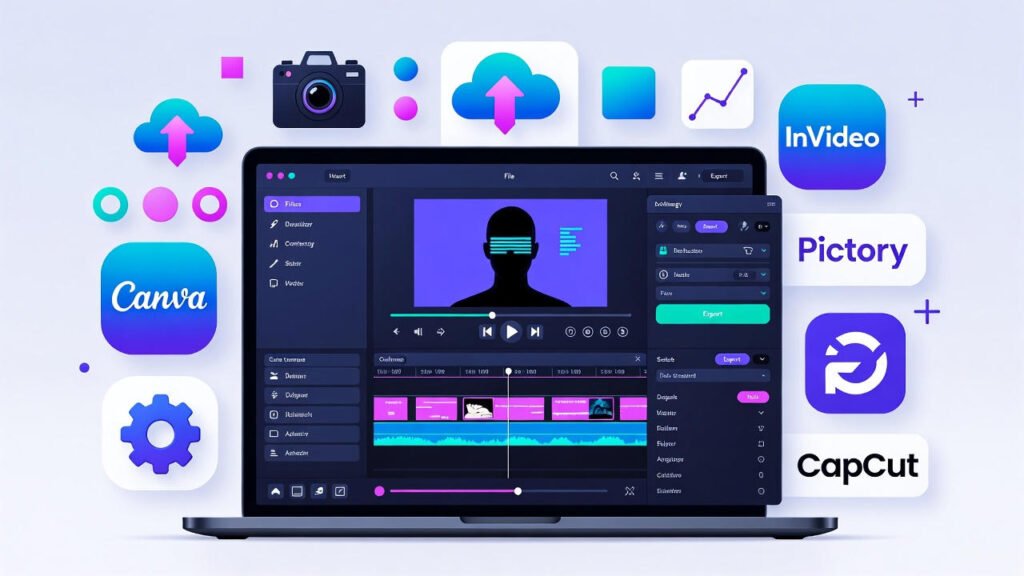
Here’s an uncomfortable truth: while you’re worried about being on camera, your competitors are silently building massive YouTube channels and digital empires—without ever showing their face. In fact, faceless YouTube channels in niches like personal finance, mysteries, and self-help are pulling in millions of monthly views and generating full-time incomes. The secret? They’ve mastered the best free and paid AI tools for faceless videos.
If you’re a content creator, YouTuber, or digital marketer in the USA feeling stuck because of camera shyness, budget constraints, or lack of technical skills, this is your breakthrough moment. This comprehensive guide cuts through the noise to deliver the exact AI video generators and YouTube automation tools that are currently dominating the market. We’ll provide you with actionable steps, real-world examples, and a clear roadmap to launch your own profitable faceless channel.
Table of Contents
- Why Faceless Videos Are Unstoppable in 2026
- Free vs. Paid AI Tools: Side-by-Side Comparison
- Top 5 Free AI Tools to Start Today
- Your 5-Step Launch Plan (Beginner to Pro)
- 7 Profitable Faceless Video Ideas
- FAQs: Your Questions Answered
- Conclusion: Your Journey Starts Now
Why Faceless Videos Are Unstoppable in 2026
Let’s talk numbers. According to recent analytics, search interest for “faceless YouTube channel ideas” has grown over 300% in two years. Channels like Kurzgesagt – In a Nutshell (animation) and The Why Files (mystery narration) boast millions of subscribers and generate substantial revenue through ads, sponsorships, and digital products. The appeal is clear: faceless content creation tools allow for limitless scalability, protect your privacy, and let the content—not the creator—be the star.
For digital marketers, this represents a golden opportunity to create lead magnets, explainer videos, and social media content at scale without the logistical nightmare of filming. The barrier to entry has been demolished by AI.
Free vs. Paid AI Tools: Side-by-Side Breakdown
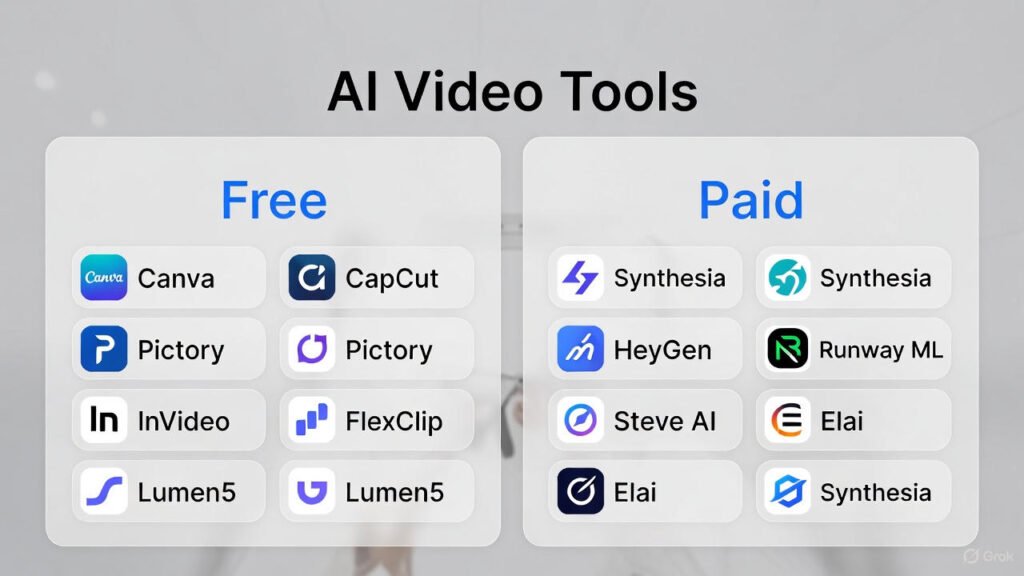
Choosing the right tool depends on your stage and goals. Here’s a clear comparison to help you decide where to invest your time and money.
| Feature | Free AI Tools | Paid AI Tools |
|---|---|---|
| Investment | $0 (Perfect for bootstrapping) | $15 – $100+/mo (Scaling an asset) |
| Output Quality | Good to Very Good (May have watermarks) | Professional & Broadcast-Ready |
| Core Advantage | Risk-free experimentation, learning the basics | Speed, scalability, and competitive edge |
| Best For | Validating your niche, creating your first 10 videos | Building a brand, maximizing monetization, producing daily |
| Long-Term Value | High for learning, but limited for growth | Essential for treating your channel as a business |
https://support.google.com/youtube/answer/1311392
Top 5 Free AI Tools to Start Your Channel Today
These tools require zero financial commitment but offer serious power to launch your faceless YouTube automation journey.
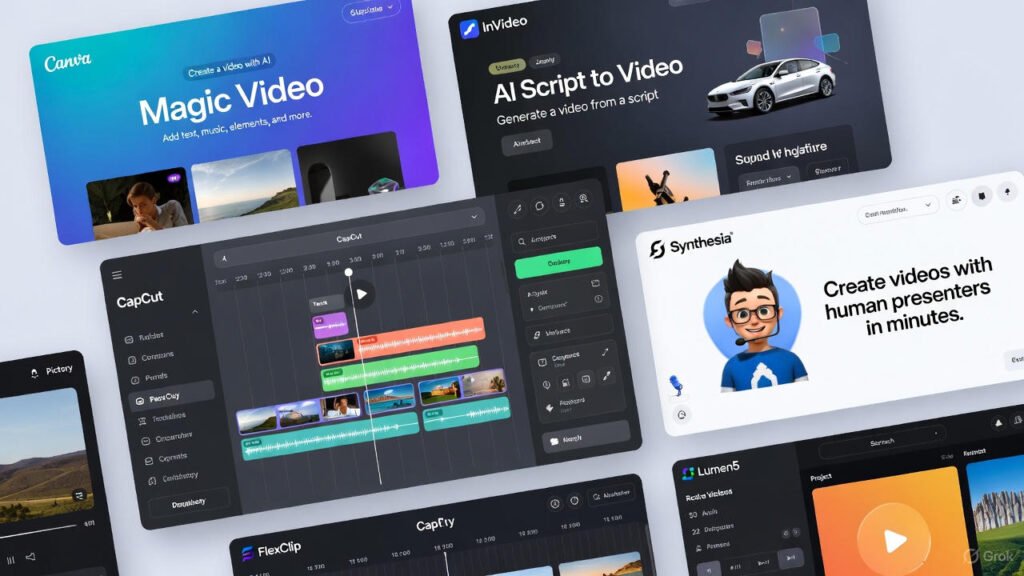
1. Canva (Free Plan): The All-in-One Visual Playground
- Best For: Absolute beginners and creators who think visually.
- Key Features: Magic Design AI, millions of templates, built-in stock media, and an intuitive drag-and-drop editor.
- The Catch: Free exports are 720p, and some premium assets are locked.
- Quick-Start How-To: 1) Search “YouTube video” in templates. 2) Drag/drop your script into the note tool. 3) Use “Apps” to find AI Image Generator for custom visuals. 4) Export and upload.
2. CapCut: The Professional-Grade FREE Editor
- Best For: Creators who want deep editing control without cost—think of it as a free Premiere Pro.
- Key Features: Auto-captions, AI color correction, stunning effects, and no watermark on exports.
- The Catch: Some trending templates and music require a subscription.
- Quick-Start How-To: 1) Import your voiceover. 2) Use “Auto-Captions” for perfect subtitles in seconds. 3) Explore the “Effects” tab for smooth transitions. 4) Use “Enhance” for one-click video quality boost.
3. Lumen5: Text-to-Video in Minutes
- Best For: Bloggers and marketers turning articles into engaging faceless video content.
- Key Features: AI converts text to scenes, brand kits, and a solid media library.
- The Catch: Free plan includes a Lumen5 watermark.
- Quick-Start How-To: 1) Paste your blog post URL. 2) Let AI suggest visuals for each sentence. 3) Swap out any generic clips with better stock footage from their library. 4) Download and share.
4. Pictory (Free Trial): The Long-Form Repurposing Pro
- Best For: Repurposing webinars, podcasts, or long scripts into short clips.
- Key Features: AI highlights reel generator, auto-captioning, and script-to-video.
- The Catch: The robust features are behind a paid wall after the trial.
- Quick-Start How-To: 1) Upload a Zoom recording or paste a script. 2) Use “AI Highlights” to find the best moments automatically. 3) Edit the generated storyboard. 4) Add a voiceover or keep original audio.
5. InVideo AI (Free with Watermark): Your AI Scriptwriter & Editor
- Best For: Going from a one-sentence idea to a full video draft in 10 minutes.
- Key Features: AI script generation, stock footage matching, and voiceover all in one workflow.
- The Catch: Output length and removal of the InVideo watermark require a paid plan.
- Quick-Start How-To: 1) Type “Create a 1-minute video about the benefits of meditation.” 2) Select a template style. 3) Let AI generate script, visuals, and voice. 4) Use the text-based editor to make quick tweaks.

https://studio.youtube.com/channel/UCBR8-60-B28hp2BmDPdntcQ/music
Top 5 Paid AI Tools for Scaling Your Profitable Channel
When your channel gains traction, investing in these tools isn’t an expense—it’s an accelerator for your business.
1. Synthesia: The AI Human Presenter
- Price Point: Starts at $22/month for 10 minutes.
- The Pro Advantage: Create videos with 140+ realistic AI avatars speaking in 120+ languages—perfect for professional explainer videos.
- Use Case Scenario: A financial advisor creates weekly market updates with a trustworthy AI avatar, building authority without filming.
- Action Step: Use their free AI video demo to create a 30-second sample. See if the “human” touch resonates with your audience.
2. HeyGen: Studio-Quality Avatars & Voice Cloning
- Price Point: Starts at $29/month.
- The Pro Advantage: Arguably the best lip-sync technology on the market, plus easy video translation for global reach.
- Use Case Scenario: A course creator localizes their sales video into Spanish, French, and German using one original script.
- Action Step: If you have a clear “host-driven” format, test HeyGen against Synthesia for avatar realism and voice naturalness.
3. Runway ML: Generative Video Magic
- Price Point: Starts at $15/month (credit-based).
- The Pro Advantage: Use AI to generate original video footage from text or images. Remove backgrounds, extend shots, and create impossible B-roll.
- Use Case Scenario: A mystery channel creates unique, eerie footage of “haunted locations” that don’t exist, boosting viewer retention.
- Action Step: Integrate Runway into your workflow for creating 3-5 seconds of custom, eye-catching B-roll that makes your content stand out.
4. InVideo (Pro Plan): Remove Limits, Unlock Potential
- Price Point: $20/month (billed annually).
- The Pro Advantage: Removes watermarks, unlocks 9M+ premium stock assets, and grants 1080p exports—transforming the free tool into a production powerhouse.
- Use Case Scenario: A marketing agency producing 20+ social videos per month for clients needs a reliable, all-in-one video creation tool for agencies.
- Action Step: If you love the free InVideo AI workflow, upgrading to Pro is a no-brainer for serious volume.
https://support.google.com/youtube/answer/72851
5. Descript: Edit Video by Editing Text
- Price Point: Starts at $12/month.
- The Pro Advantage: The revolutionary “Overdub” AI voice cloning and text-based editing save hours on post-production for narration-heavy videos.
- Use Case Scenario: You flub a word in a 10-minute voiceover. Instead of re-recording, you type the correct word and Descript seamlessly fixes the audio.
- Action Step: Use Descript as your final polish tool. Edit out “ums,” clean up audio, and ensure perfect pacing before you export.
Your 5-Step Launch Plan: From Beginner to Pro
- Week 1: Niche & Validate. Pick a niche (e.g., “AI News,” “Historical Facts”). Use Google Trends and YouTube search to confirm interest. Internal Link Suggestion: Want niche ideas? See our section on Profitable Faceless Video Ideas.
- Week 2: Tool Stack & First Video. Choose ONE free tool (start with Canva or CapCut). Follow the “Quick-Start How-To” above to produce Video #1.
- Week 3: Consistency & Learning. Publish videos 2, 3, and 4. Analyze YouTube Studio: what’s the watch time and click-through rate telling you?
- Month 2: Optimize & Upgrade. Identify your biggest bottleneck (e.g., scriptwriting, finding visuals). Invest in your first paid tool that solves that specific problem.
- Month 3: Systemize & Scale. Create a repeatable process: script → voiceover → visuals → edit → publish. Now, you’re running a content business.
7 Profitable Faceless Video Ideas That Work
- Whiteboard Explainer Videos: Use tools like Doodly (paid) or VideoScribe to explain complex topics.
- Reddit Story Narrations (r/NoSleep, r/ProRevenge): Massive, engaged audience. Use dynamic stock footage or simple animations.
- Stock Market & Crypto Updates: Pair a clear AI voiceover with charts and relevant B-roll of cities, markets, etc.
- Minimalist Productivity Tips: Calming visuals (timelapses of writing, nature) with a soothing voiceover.
- AI News Breakdowns: A meta-niche! Report on the latest AI tools using the very tools you’re discussing.
- Historical Documentaries: Use archival footage, AI-generated images of historical figures, and maps.
- Motivational Philosophy (e.g., Stoicism): Powerful quotes over epic landscape and cinematic footage.
https://www.copyright.gov/fair-use
FAQs: Your Top Questions Answered
Q1: Can faceless YouTube channels get monetized?
A: Absolutely. YouTube’s monetization policy focuses on original, valuable content that adheres to guidelines, not whether your face is shown. Hundreds of thousands of faceless channels are in the Partner Program.
Q2: Are AI voiceovers acceptable for YouTube monetization?
A: Yes, but with a critical caveat: you must have commercial rights to use them. Most paid AI voice platforms grant this. Always check the terms of service of your chosen AI voice generator tool.
Q3: What’s the #1 mistake beginners make with faceless videos?
A: Neglecting the audio quality. A poor, muffled, or robotic voiceover will kill retention faster than any visual. Invest in a decent microphone or use top-tier AI voices.
Q4: How much does it really cost to start a professional faceless channel?
A: You can start for $0. To operate at a professional, scalable level, a budget of $50-$100 per month for a suite of paid AI video generators and editing tools is typical and provides an incredible ROI.
Q5: Which tool is best for creating animated explainer videos without skills?
A: For beginners, Canva’s animated templates are easiest. For more professional, custom animation, Vyond is the industry standard (paid).
Q6: How do I make my faceless content stand out when everyone uses AI?
A: The AI is your assistant, not your creative director. Your unique script, storytelling perspective, and editing style are what build a brand. Use AI for execution, not for ideation.
Q7: Is there a risk YouTube will ban AI-generated content?
A: There is no policy against AI-generated content. The risk lies in creating low-effort, mass-produced, or plagiarized content—regardless of how it’s made. Focus on adding genuine value.
Conclusion: Your Faceless Video Arsenal Is Ready
The revolution in faceless content creation is here, and it’s powered by artificial intelligence. From the robust free tiers of CapCut and Canva to the professional capabilities of Synthesia and Runway, you have every tool necessary to build a compelling, profitable online presence. These AI tools for YouTube faceless videos are not just about saving time; they’re about unlocking a form of creative expression and business building that was previously inaccessible to most.
Stop waiting for the “right time” or the “right equipment.” Your audience, your niche, and the perfect AI video editing tool are waiting for you to hit “create.”
Ready to launch? Your journey begins with one decision. Choose your first tool from this guide and create something today.
SEO Keywords Section:
Primary: free and paid AI tools for faceless videos
Secondary: AI tools for YouTube faceless videos, best AI video generators, faceless content creation tools, YouTube automation tools, AI video editing tools
Long-Tail Targets: how to start a faceless YouTube channel with AI, best AI for animated explainer videos, affordable AI video generator, AI tools for video editing without watermark, create faceless content for digital marketing