

AI Agents & Autonomous Automation Tools: The Complete Beginner’s Guide for 2026
January 21, 2026 | by mk75089317@gmail.com
Introduction: The Quiet Revolution Happening on Your Computer
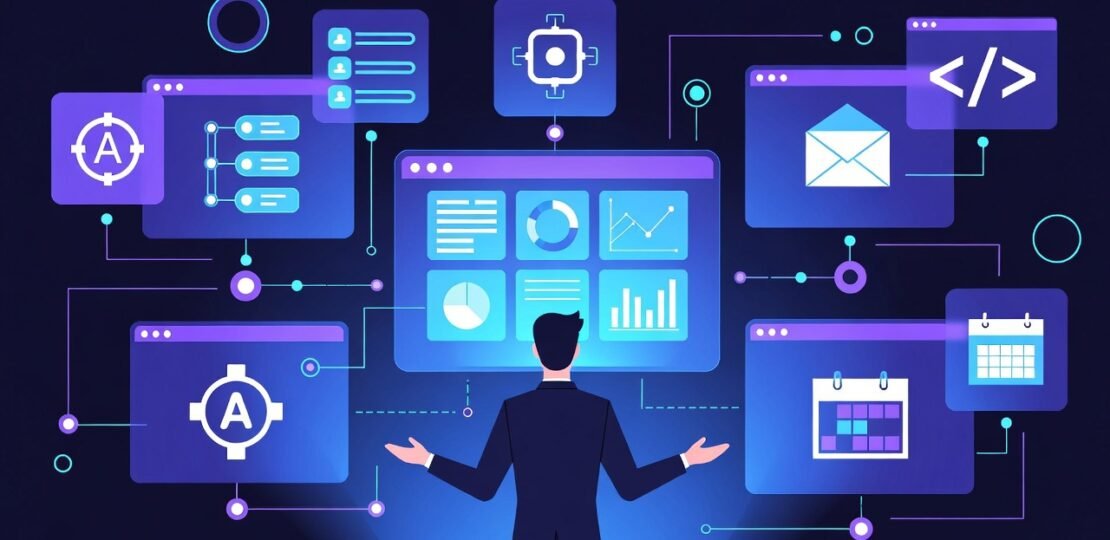
Imagine you could hire a super-efficient, 24/7 digital employee. One that doesn’t just follow a simple script, but can think through problems, make decisions, and complete entire projects from a single instruction. That’s not science fiction—it’s the reality of AI agents and autonomous automation tools in 2026.
If you’re in the USA, India, or anywhere else, you’ve likely felt the AI boom. But while tools like ChatGPT can answer questions, AI agents take it a step further. They don’t just respond—they act. While you sleep, an AI agent could be researching a topic, writing a report, analyzing data, and emailing it to your client. It’s automation that thinks for itself.
Why the Hype in 2026? This year, the technology moved from labs to our laptops. No-code platforms have exploded, making these powerful tools accessible to freelancers, small business owners, and side-hustlers without a tech degree. The race for efficiency in a competitive market, especially in fast-moving economies like the USA and India, is driving adoption at an unprecedented rate.
The Key Difference: A regular AI tool needs your constant guidance (like asking ChatGPT for a paragraph). An AI agent receives a high-level goal (like “create a monthly marketing plan”) and independently figures out the steps to achieve it. It’s the difference between having a tool and having a teammate.
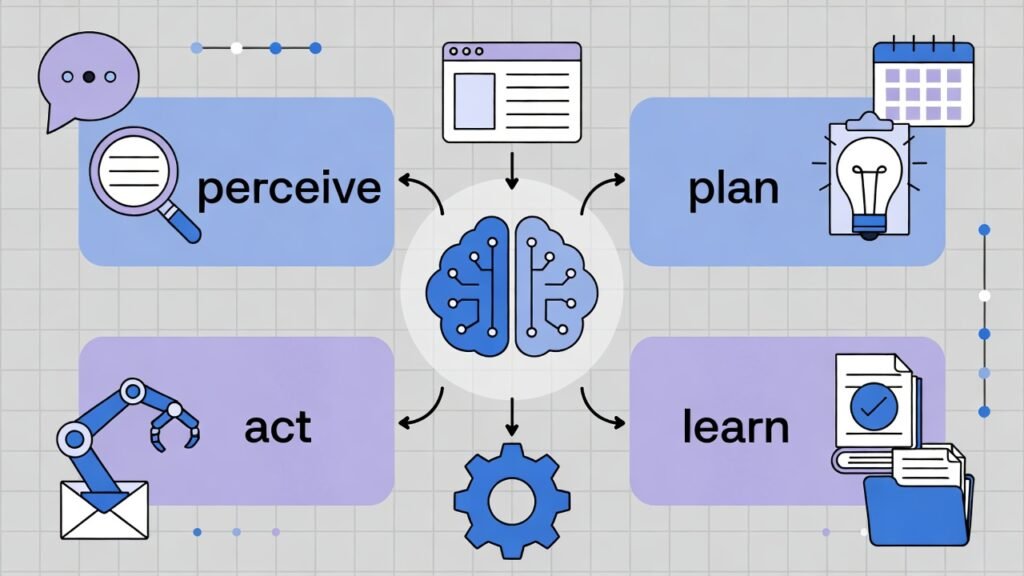
Table of Contents
What Are AI Agents? (No Jargon, We Promise)
Let’s break down the buzzword. An AI agent is a software program powered by artificial intelligence (like a large language model) that can perceive its environment, make decisions, and take actions to achieve specific goals without constant human intervention.
Think of it as a robot for digital tasks. It has a brain (the AI model), a set of hands (tools it can use), and a memory (to remember what it’s done).
https://platform.openai.com/docs/assistants-overview
How Do AI Agents Work? A Simple 4-Step Loop:
- Perceive: The agent receives a goal or “prompt” from you (e.g., “Find the top 5 competitors for my coffee shop in Austin and summarize their pricing”).
- Plan & Reason: It breaks down the goal into sub-tasks. “First, search the web. Then, extract key data. Next, compare prices. Finally, write a summary.”
- Act: It uses its available “tools” (like a web browser, a calculator, a document editor) to execute each task.
- Learn & Repeat: It checks the outcome, uses its memory to see what worked, and loops back until the goal is met. Then it delivers you the final report.
The Four Core Components:
- Memory: Remembers past actions and results to improve.
- Tools/API Integration: Its “hands.” Can connect to your calendar, email, web browsers, CRM, etc.
- Reasoning Engine: The “brain” (usually an LLM like GPT-4) that plans and makes decisions.
- Action Module: The code that executes decisions in the real digital world.
What Is Autonomous Automation? Your Business on Autopilot
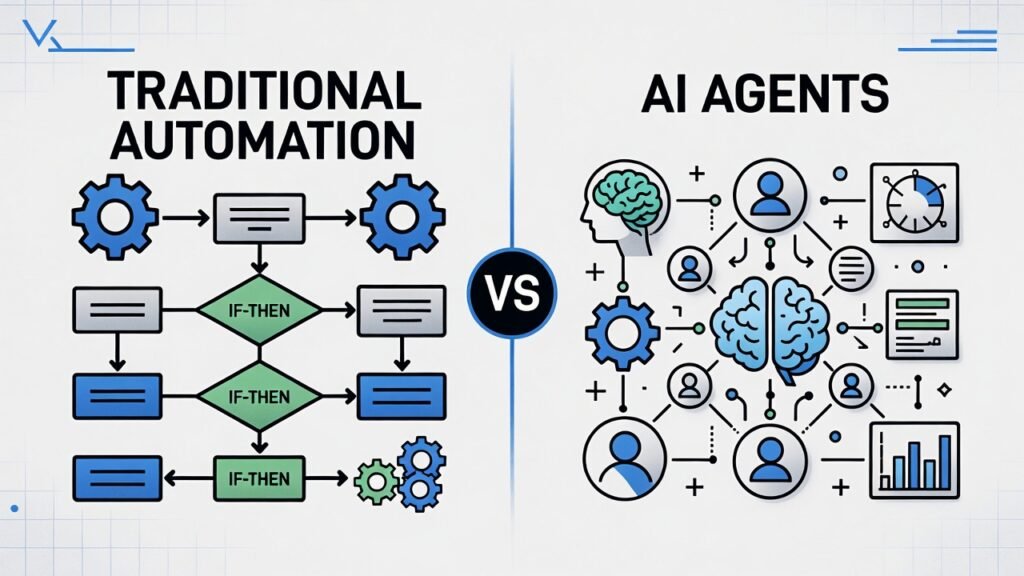
Autonomous automation is the next evolution. Traditional automation (like setting up a Zapier “Zap”) is rule-based: “If this happens, then do that.” It’s powerful but rigid. If something unexpected occurs, it breaks.
Autonomous automation, powered by AI agents, is goal-based: “Here’s the outcome I want. Figure out how to get there, and adapt if things change.”
Real-Life Example:
- Traditional Automation: A rule sends a “Thank You” email to everyone who fills out a contact form.
- Autonomous Automation: An AI agent qualifies the lead from the form, researches their company, personalizes a follow-up email with specific references, schedules a demo call on your calendar if they’re a good fit, and logs everything in your CRM. All from the single goal: “Qualify and nurture new leads.”
Businesses are switching because autonomy equals scalability. You’re not just automating tasks; you’re automating thinking and problem-solving for entire workflows.
AI Agents vs. Traditional Automation Tools: Side-by-Side
| Feature | Traditional Automation (e.g., Zapier, IFTTT) | AI Agents & Autonomous Automation |
|---|---|---|
| Logic Type | Rule-based (if/then) | Goal-based (objective-driven) |
| Flexibility | Low. Breaks with unexpected inputs. | High. Can adapt and find new paths. |
| Human Input | High setup, needs maintenance. | Low after goal-setting. Can run independently. |
| Complexity | Handles linear, repetitive tasks well. | Can manage complex, multi-step projects. |
| Example Task | “Save Gmail attachments to Dropbox.” | “Analyze all Q4 sales emails, identify top client concerns, and draft a report with improvement strategies.” |
| Best For | Simple, predictable workflows. | Dynamic, complex processes requiring judgment. |
Think of it as the difference between a train (traditional automation) that must follow set tracks and a self-driving car (AI agent) that can navigate roads to reach a destination.
Real-World Examples of AI Agents in Action
Seeing is believing. Here’s how AI agents are being used right now:
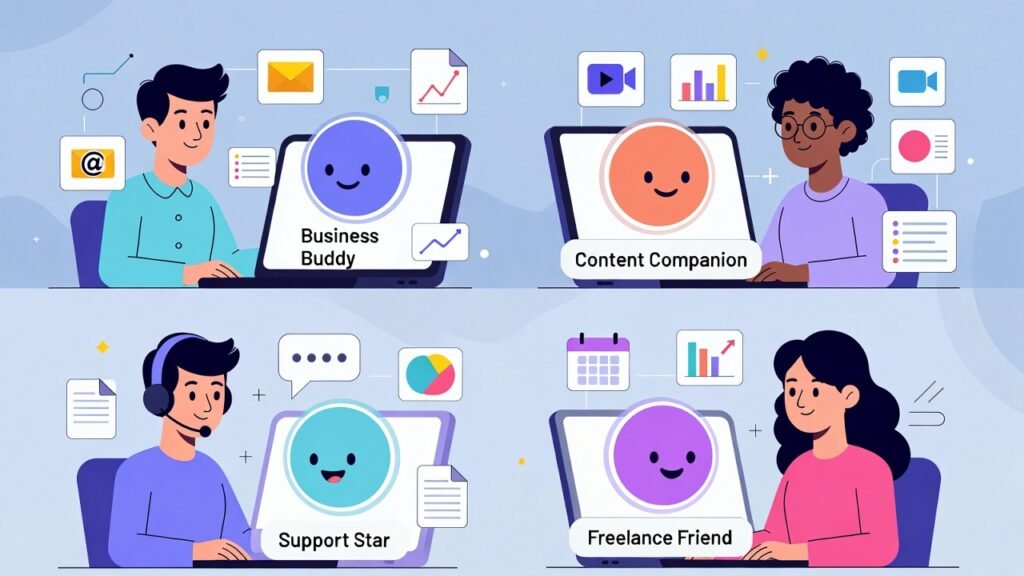
- For Business: An agent monitors social media, news, and competitor sites for brand mentions or market shifts, analyzes sentiment, and alerts the team with a synthesized brief.
- For Content Creation: From one keyword (“AI automation tools 2026“), an agent can outline a blog post, research facts, write a first draft, source relevant images, and format it in WordPress.
- For Customer Support: It doesn’t just pull FAQ answers. It can analyze a customer’s ticket history, access order data, troubleshoot steps, and draft a personalized, empathetic resolution for a human to approve.
- For Personal Productivity: An agent manages your inbox, prioritizing emails, drafting responses for quick review, and adding important dates to your calendar—acting as a true executive assistant.
Best AI Agents & Autonomous Automation Tools in 2026
Ready to try one? Here are the leading platforms making waves this year. (Note: Pricing and features evolve fast. Always check their official sites for the latest info.)
- AutoGPT & BabyAGI (Open-Source Frameworks): The pioneers that sparked the agent craze. These are blueprints for building agents. Best for developers and tinkerers comfortable with code.
- OpenAI’s Assistants API & GPTs: Provides the powerful “reasoning engine” for developers to build custom agents. Many user-friendly tools are built on this backbone.
- n8n + AI & Make.com (Integromat): These powerhouse no-code workflow platforms have deeply integrated AI nodes. You can visually build incredibly sophisticated, AI-driven automations that connect all your apps. Excellent for beginners and pros who want control without coding.
- Zapier’s AI Features: The king of simple automation is now weaving AI into its Zaps. It’s becoming easier to add AI steps (like content generation or classification) into your existing automations. Great for those already in the Zapier ecosystem.
- Agent-Specific Platforms (Like SmythOS, CrewAI): New platforms are emerging that offer a middle ground—more structured than raw code but more powerful than pure no-code. They often provide a canvas to design, deploy, and manage teams of specialized agents.
Beginner-Friendly Tip: If you’re new to AI workflow automation, start with the AI features in n8n or Make.com. They offer visual builders, free tiers, and massive communities to help you learn.
How Beginners Can Start Using AI Agents (No Coding Required)
You don’t need a PhD. Here’s your 5-step launch plan:
- Identify a Repetitive Pain Point: Start small. Is it summarizing meeting notes? Researching topics? Sorting customer inquiries? Pick one clear goal.
- Choose a No-Code Platform: Sign up for a free tier of Make.com or a similar tool. Their tutorials are fantastic.
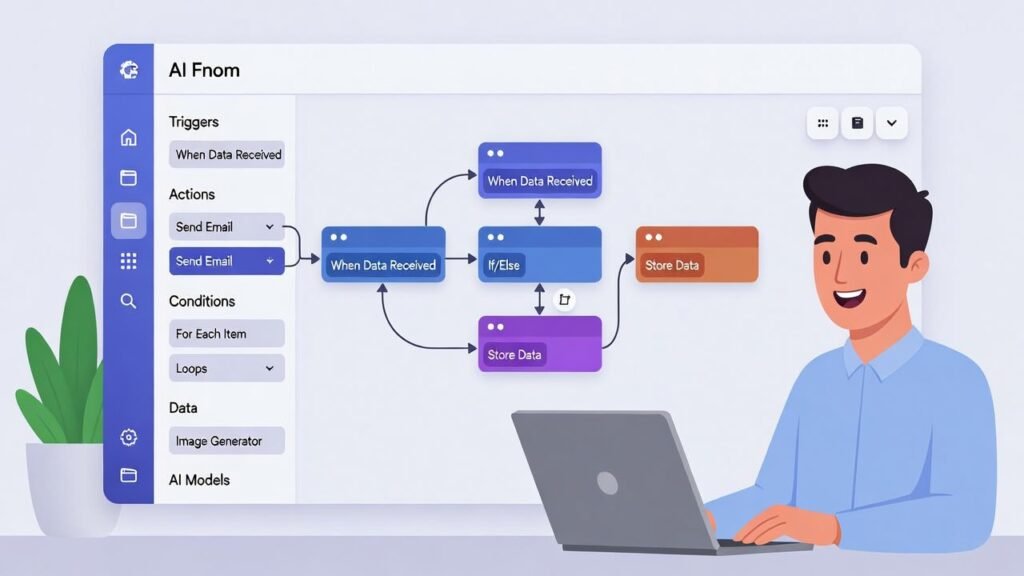
- Build Your “Trigger”: What starts the process? A new email? A form submission? A scheduled time?
- Incorporate an AI Action: Use the platform’s built-in “AI Module” or connect to an API like OpenAI. Give it clear instructions: “Take the email from Step 1, extract the customer’s main issue, and determine if it’s Urgent, Normal, or Low Priority.”
- Test, Refine, and Connect: Run tests. See if the AI’s output is useful. Then, connect the output to the next step—like sending data to a spreadsheet or drafting a reply.
Common Beginner Mistakes to Avoid:
- Starting Too Big: Don’t try to automate your entire business on day one.
- Vague Instructions: AI needs clear, specific goals. “Improve sales” is bad. “Analyze last month’s lost deals and list the top 3 reasons mentioned” is good.
- Setting and Forgetting: Always monitor and audit your agents’ work, especially at the start. You are the supervisor.
AI Agents for the USA Market: Specific Use Cases
The competitive and tech-forward US market is ripe for this technology.
- Small Businesses: Automate bookkeeping categorization, generate personalized local marketing content, and manage multi-channel customer inquiries from one place.
- Freelancers (Writers, Designers, Coaches): Use agents for lead research, proposal drafting, content repurposing, and scheduling, freeing up 10+ hours a week for client work.
- Content Creators: Deploy agents to handle video script outlines, SEO keyword clustering, social media caption generation, and audience sentiment analysis.
- E-commerce Sellers: Automate competitor price monitoring, generate product descriptions for hundreds of items, and create personalized post-purchase email sequences.
Benefits and Risks of AI Agents: A Balanced View
The Benefits:
- Massive Time Saving: Reclaim 20-30% of your workweek from repetitive digital tasks.
- Unmatched Scalability: Handle 10x the workload without 10x the staff.
- 24/7 Operation: Your “digital employee” works across time zones while you’re offline.
- Reduced Human Error: Increases consistency in data-heavy tasks.
The Risks & Considerations:
- Accuracy & Hallucinations: AI can make mistakes or “confabulate” information. Human oversight is non-negotiable. You review and approve.
- Security & Privacy: Never give an agent access to sensitive data without understanding the platform’s security. Always read privacy policies.
- Cost Management: Some agents can get “stuck” in loops, running up API costs. Start with clear limits and budgets.
- Ethical Use: Be transparent if an AI is interacting with customers or creating content. Use it to augment human creativity, not replace it deceitfully.
The Future of AI Agents (2026-2027): What to Expect
The trajectory is clear and accelerating:
- Hyper-Specialization: We’ll see pre-built “Agent Templates” for specific jobs—the SEO Agent, the Real Estate Analyst Agent, the Customer Onboarding Agent.
- Seamless Integration: AI agents will become a standard feature inside the software you already use (like Google Workspace, Microsoft 365, Shopify).
- The “Agent Workforce” Model: Small businesses will run a coordinated team of 3-4 agents (for marketing, sales, support, operations) managed by one human lead.
- Job Impact: The narrative will shift from “AI taking jobs” to “AI defining new jobs.” The most valuable skills will be AI Agent Supervision, Prompt Engineering, and Strategic Workflow Design.

- Processor: Intel Core i7-13620H | Speed: 2.4 GHz (Base) – 4.9 GHz (Max), E-core 1.8 / 3.6GHz | 10 Cores | 16 Threads | 2…
- Display: 15.3″ FHD (1920×1200) | 300Nits Brightness | Anti Glare |TUV Low Blue Light Certified
- Memory and Storage: 8GB Soldered DDR5-4800 + 8GB SO-DIMM DDR5-4800, Max Memory Up to 24GB (8GB soldered + 16GB SO-DIMM) …
Frequently Asked Questions (FAQs)
Q: What is an AI agent in simple terms?
A: It’s a smart, self-directed software program that can complete multi-step digital projects from a single, high-level instruction, using tools like web browsers and apps along the way.
Q: Are AI agents safe to use?
A: They are safe if used responsibly. Use reputable platforms, never give them unrestricted access to highly sensitive data, and always maintain human review and control. Think of them as powerful interns, not CEOs.
Q: Can a complete beginner use AI agents?
A: Absolutely. The rise of no-code AI automation platforms in 2025-2026 means you can build powerful agents using visual drag-and-drop interfaces, with no programming knowledge required.
Q: Are AI agents better than using ChatGPT?
A: They’re different tools. ChatGPT is a brilliant conversationalist and idea generator. An AI agent is a doer. It uses a model like ChatGPT as its brain, but then takes action on that thinking. You’d use an agent to execute a project and ChatGPT to brainstorm it.
Q: Are AI agents free?
A: Many platforms offer free tiers with limited runs or steps (Make.com, n8n). Open-source frameworks are free but require technical skill. Most powerful, user-friendly platforms operate on a subscription model based on usage, starting from $10-$50/month.
Conclusion: Your Future is Autonomous
The era of static, rule-based automation is giving way to the dynamic, intelligent age of AI agents and autonomous automation tools. For entrepreneurs, freelancers, and businesses in the USA, India, and globally, this isn’t just a tech trend—it’s a fundamental shift in how we leverage time and intelligence.
The barrier to entry has never been lower. In 2026, the question isn’t “Can I use this technology?” but “Which part of my work will I automate first?”
Start today. Pick one small task from this guide. Explore a no-code platform’s free plan. Build a simple automation that includes one AI step. That first-hand experience is more valuable than any article.
The future belongs to those who augment their human creativity with autonomous AI capability. Your digital teammate is waiting.
“For freelancers, a portfolio is essential. Use an AI agent to help draft your site content, then launch it on an affordable, reliable platform like Hostinger to attract clients 24/7.”
RELATED POSTS
View all


Creating a Modern SEO-Optimized Blogging Website
December 19, 2025 | by mk75089317@gmail.com
AI Automation Business Ideas to Start in 2026
January 18, 2026 | by mk75089317@gmail.com
Smart Blogging & SEO Strategies for Sustainable Growth
December 19, 2025 | by mk75089317@gmail.com